INSANITYLOGS
Understand your Sanity CMS usage.
Optimize performance. Reduce costs.
Analyze your Sanity request logs locally in your browser. Identify slow queries, optimize caching, and discover cost-saving opportunities.
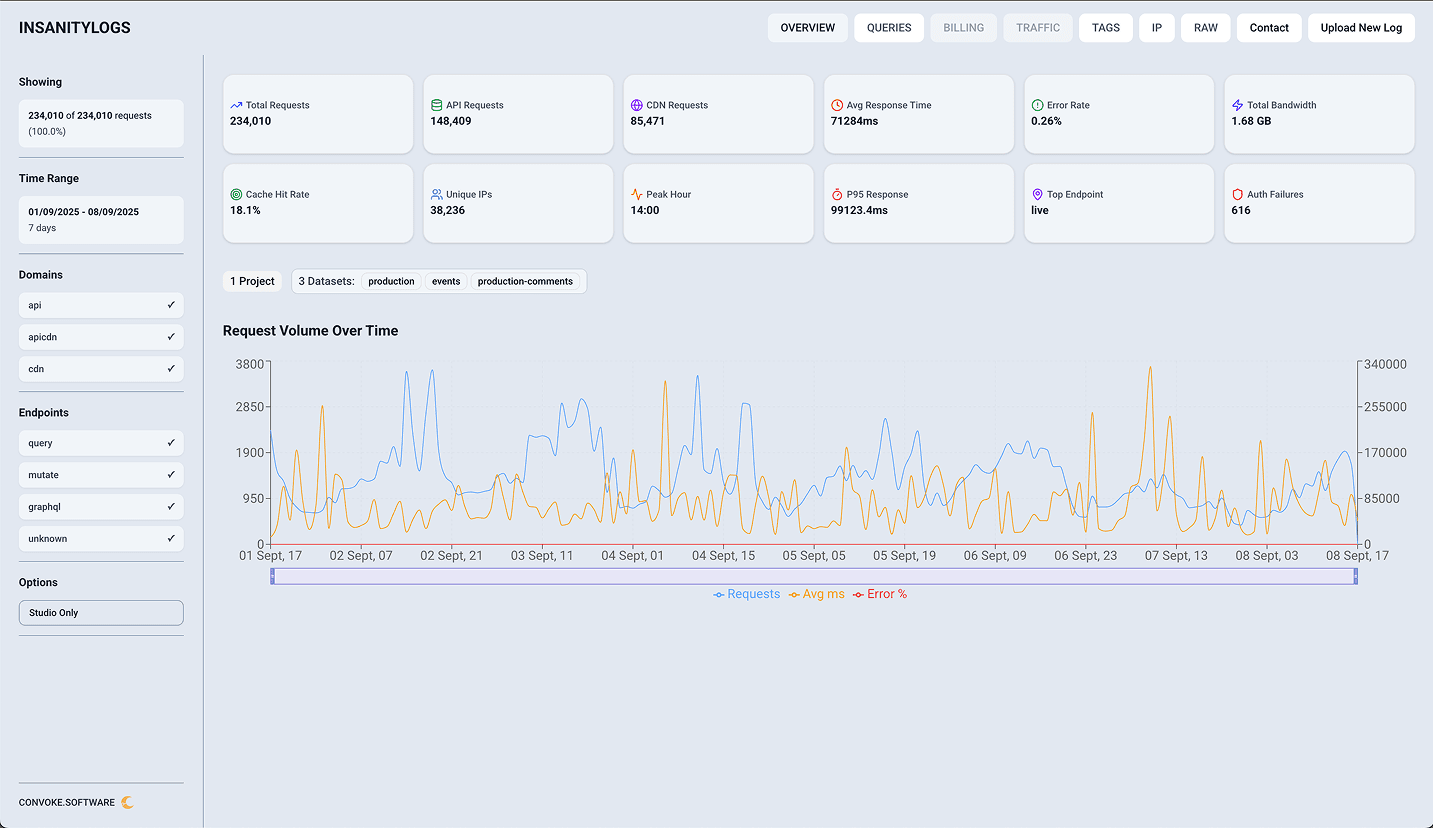
Analyze millions of requests in seconds
Built for performance. InsanityLogs processes large log files instantly using optimized streaming parsers.
Everything you need to optimize Sanity
Powerful analytics and insights to help you understand and improve your Sanity CMS usage
Query Analysis
Decode GROQ queries, identify slow patterns, and find optimization opportunities
Performance Tracking
Monitor response times, identify bottlenecks, and track performance metrics
Cost Estimation
Analyze API vs CDN usage with estimated costs to identify optimization opportunities
Traffic Insights
Understand request patterns, peak hours, and bandwidth consumption
Privacy First
All analysis runs locally in your browser. No data leaves your machine
Free Forever
Open source and completely free to use. No accounts, no subscriptions
Security Threat Detection
Identify suspicious IPs, unusual request patterns, and potential security threats
Anomaly Detection
Automatically detect unusual spikes, errors, and performance degradations
Geographic Analysis
Visualize traffic by region and identify geographic performance patterns
Tag-based Feature Tracking
Group queries by tags to track feature usage and health across your app
PDF/CSV Export Reports
Generate professional reports to share with your team or stakeholders
Multi-file Comparison
Upload multiple log files and compare metrics across different time periods (coming soon)
Perfect for every team
Whether you are a solo developer or an enterprise team, InsanityLogs helps you optimize your Sanity usage
Developers
Debug slow queries, understand API usage patterns, and optimize GROQ queries for better performance.
DevOps
Monitor infrastructure health, identify bottlenecks, and ensure optimal caching strategies.
Agencies
Generate client reports, track project health, and demonstrate optimization improvements.
Enterprise
Audit usage across teams, identify cost-saving opportunities, and ensure security compliance.
What you will discover
Actionable insights that help you make data-driven decisions about your Sanity CMS
Ready to optimize your Sanity usage?
Get started in seconds. No signup required, completely free, and 100% private.
Launch Tool NowHow it works
Simple 3-step process to analyze your logs
Download Logs
Export your request logs from the Sanity.io dashboard
Upload & Analyze
Drop your logs into InsanityLogs for instant analysis
Optimize
Review insights and implement performance improvements
Frequently asked questions
Everything you need to know about InsanityLogs